Maintenance - Details
Last updated: November 6, 2026
Bonsai Pilot features a tracker for maintenance of the vehicles on our app. Access it using the "Maintenance" item on the left side menu. If the system already have it, you will see a list:
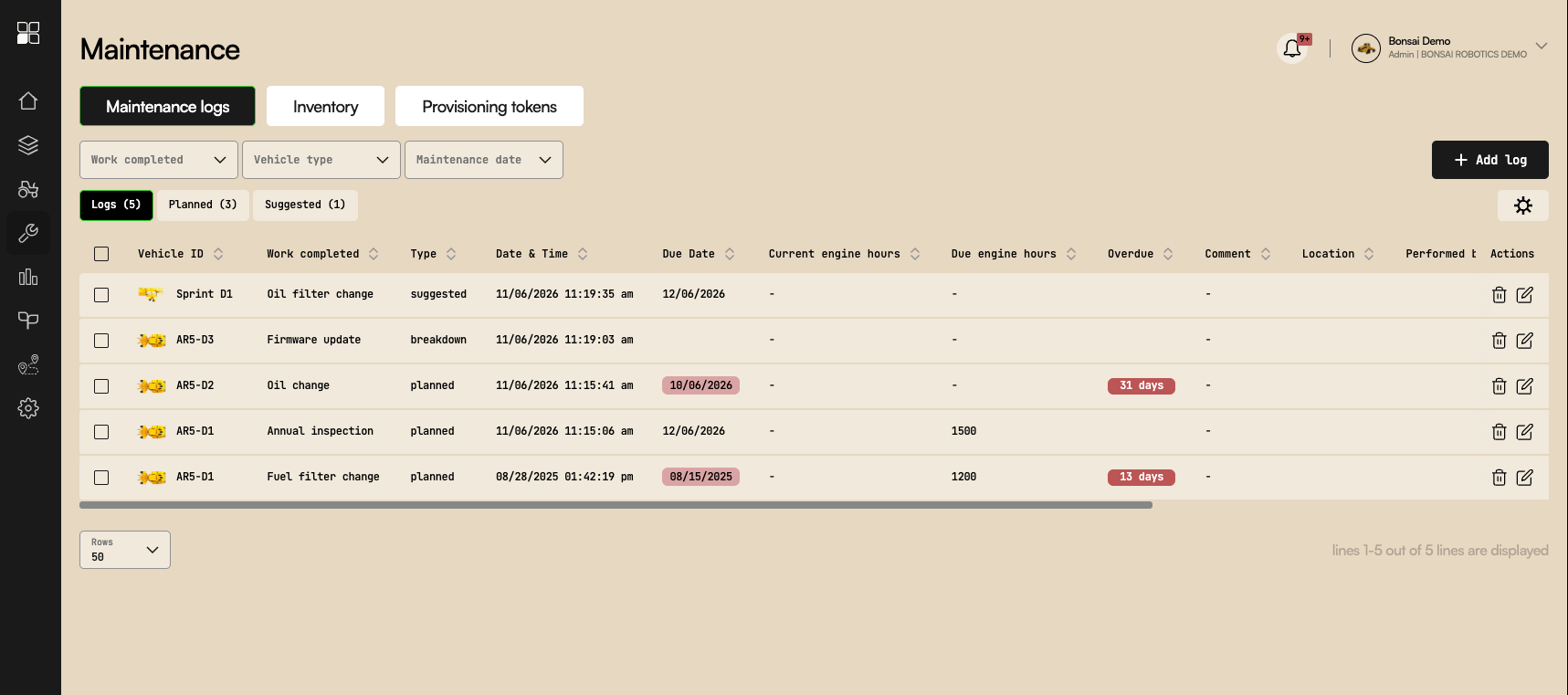
Use the buttons for filtering the list. To add new ones, click "Add Log".
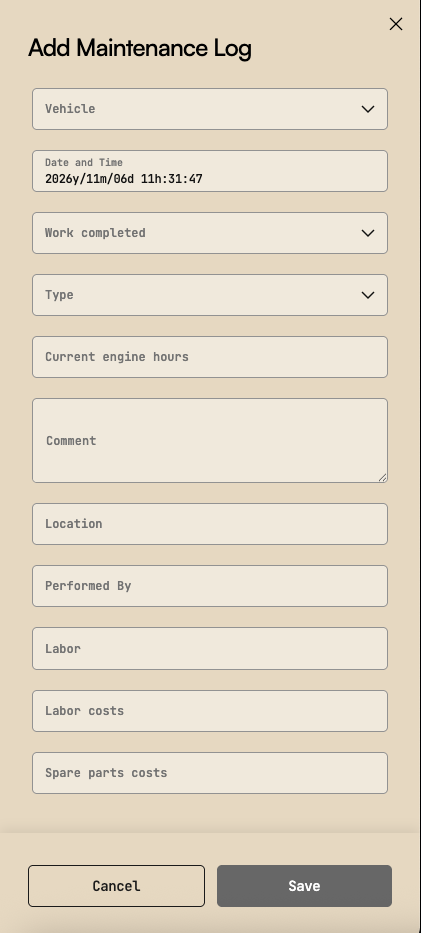
Most fields are self-explanatory, but here are some useful notes:
"Date and Time" defaults to current time and is intended to log when the activity was performed. If you are creating a log for the future, you can delete the field.
"Work Completed" allows a limited amount of options. If you need extra options, contact Bonsai Support. As a work around, you will be able add comments later.
"Type" allows planned and suggested for future maintenance, and "breakdown" for unplanned maintenance.