Enabling Notifications
Last updated: October 21, 2026
Mobile notifications enable users tor receive a different severity messages from our machines while performing jobs, commuting routes, or detecting obstacles. To adjust you preferences, use the web application on computer and navigate to Settings / Notifications.
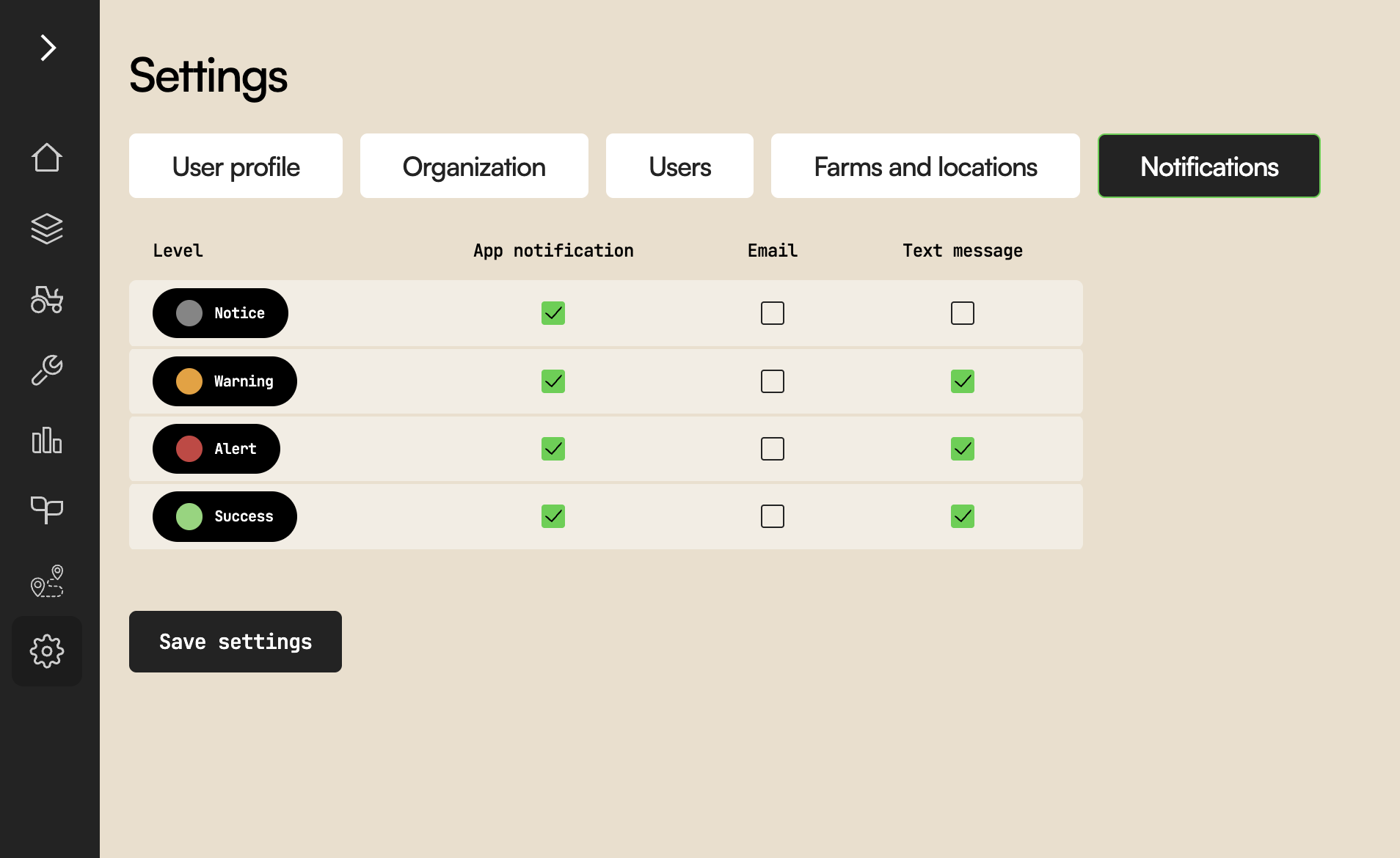
The "App Notifications" column control which severity will be shown on your mobile Apps (Android and/or iOS). Settings are similar for email and SMS text. For the latter, make sure you have a valid phone number on your User Profile.
Make sure to click "Save Settings" when done.
On your mobile apps, you now need to enable notifiations. Android and iOS have simlar but different screens:
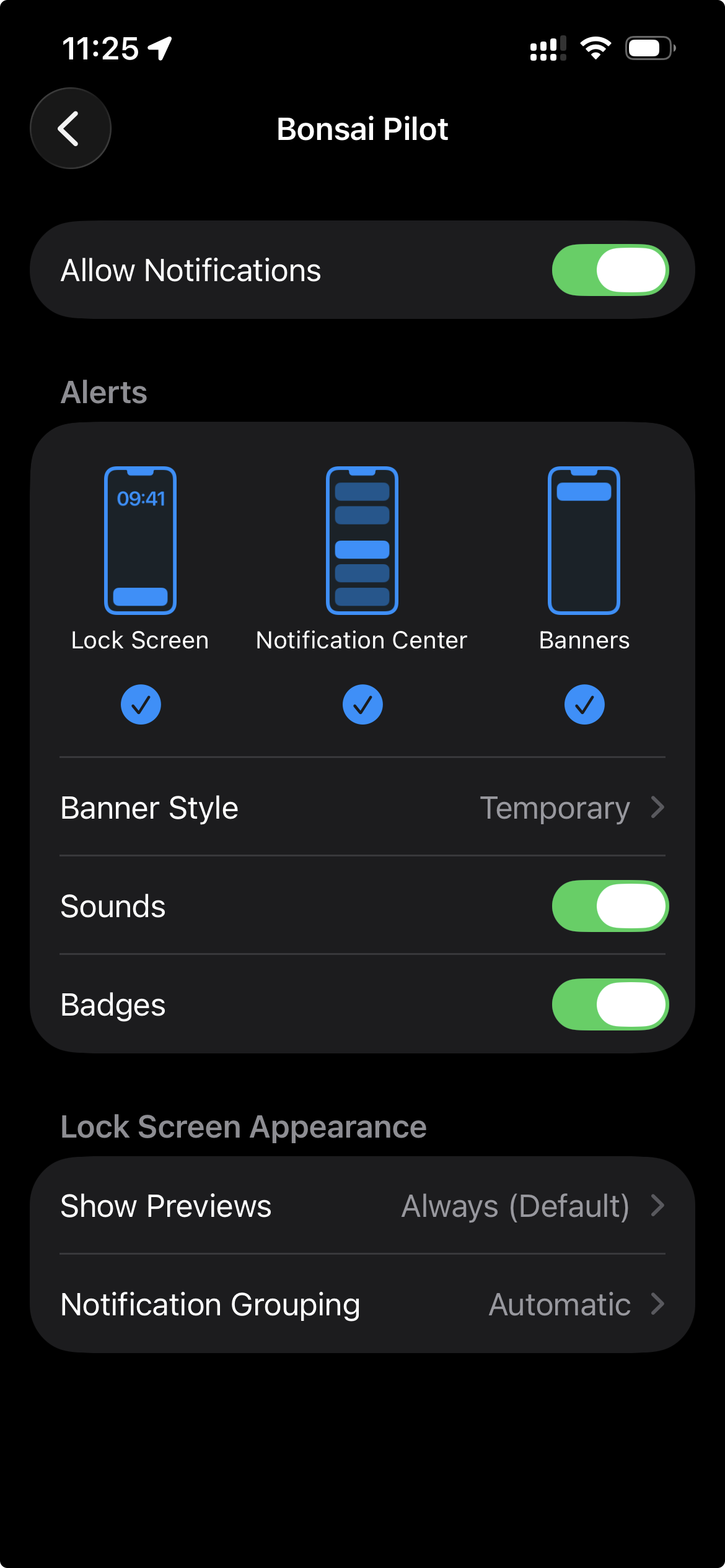
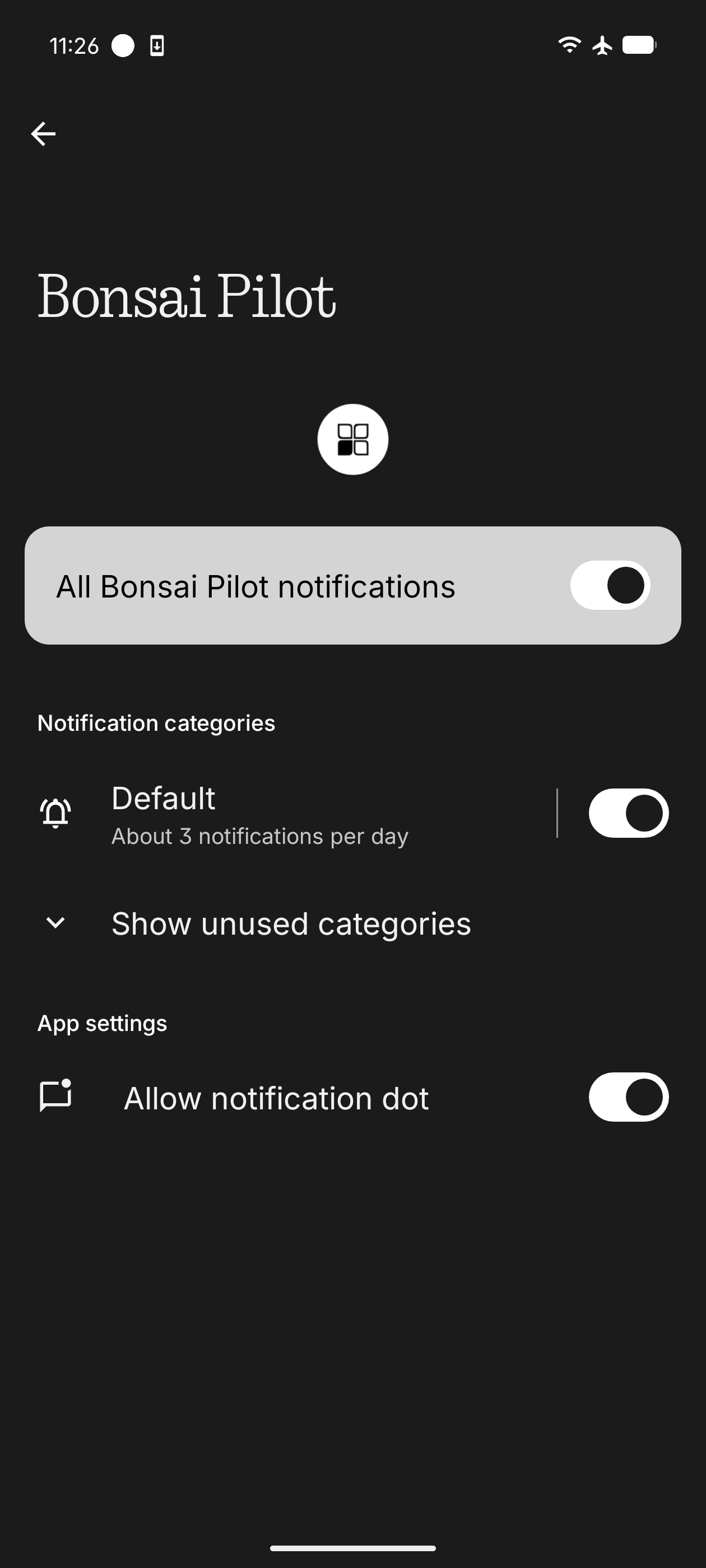
If not sure where to find the screens above, open your phone main menu (usually swipe up or down), type notifications, Apps, and search for Bonsai Pilot.