Getting Started
Last updated: October 6, 2026
Most Amiga Max are shipped ready to drive, but some assembly details might differ based on your implements or base width/length. The concepts on this guide apply to all of them.
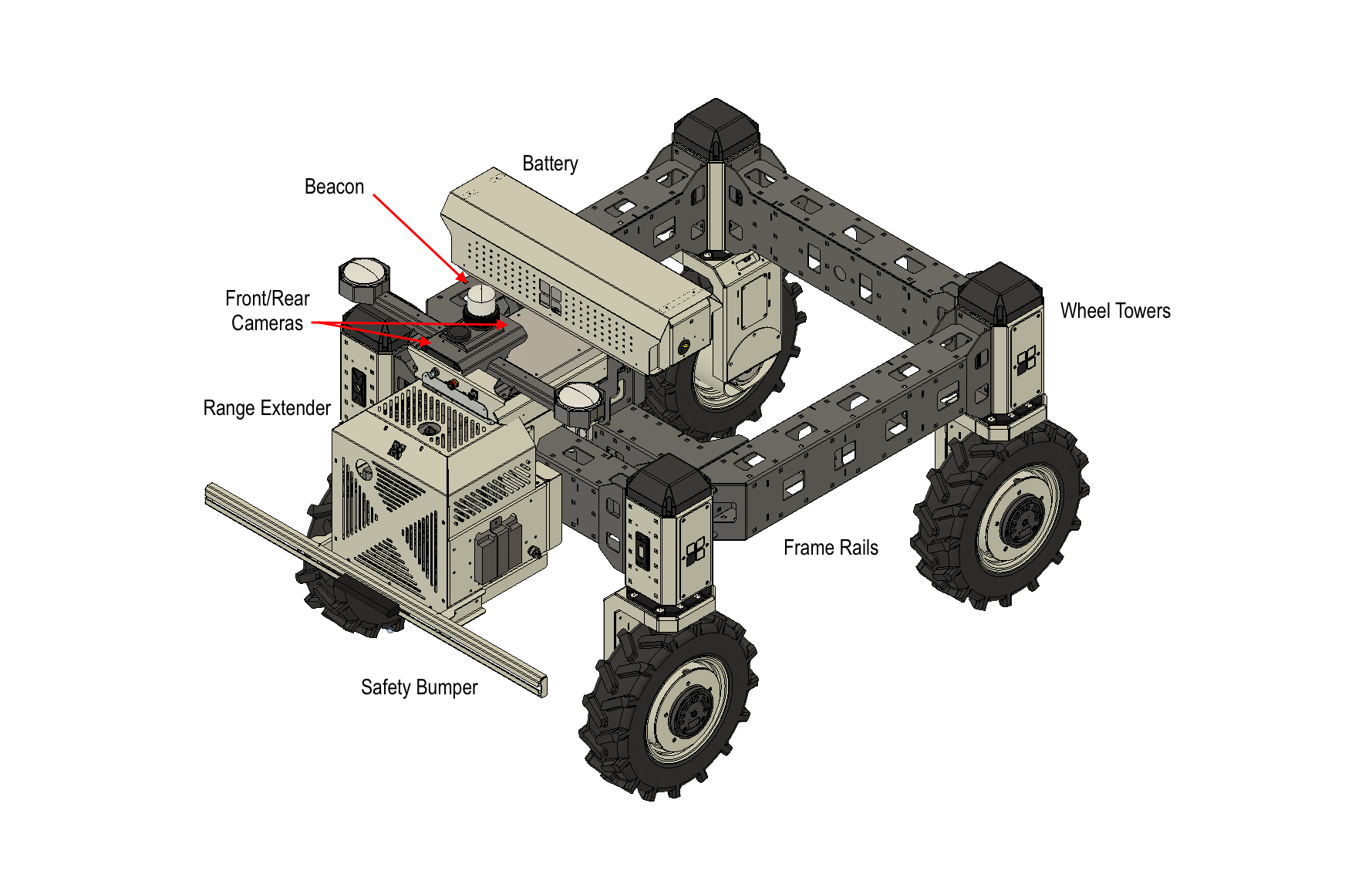
Battery
Typically, the battery will be located on the top of the control tower, but they can located in any part of the frame.
Each battery pack provides 7kWh of power at 48V. The time of operation varies with weight and job type the Amiga is performing, but typically will last around 5 hours. If needed, more batteries can be installed, and we have the option for diesel range extenders.
Each battery weights about 100 Lb with its housing, so plan for moving and installing batteries if needed with two person or the use of a crane.
Each battery pack have an Enable toggle button (red on image below), and a breaker to avoid over-current. When not enabled, the battery enters storage mode and is expected to hold power for a long time.
The breaker shuts down main power, but keeps communications. For operation, set the breaker to the ON position. If it trips and move to OFF, try to reset it pushing downwards and contact Bonsai it happens again.
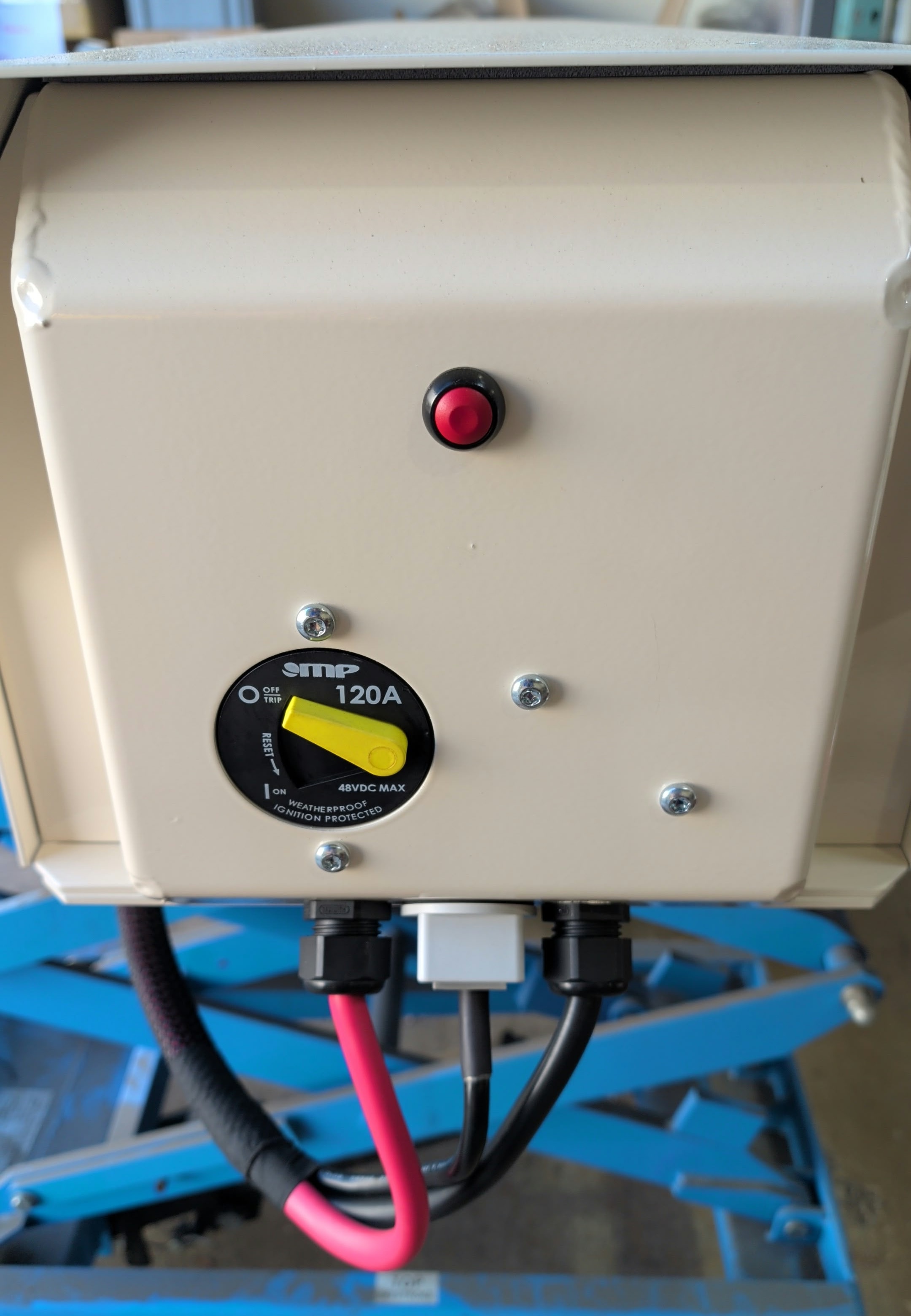
The harness from the battery should go to one of the available power ports on the robot.
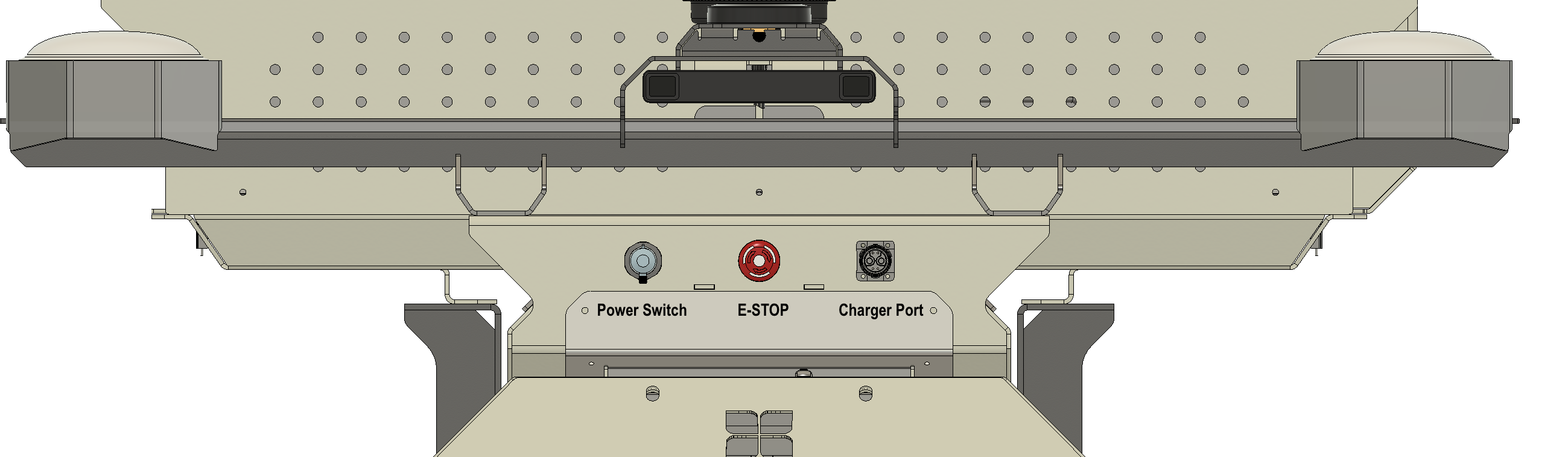
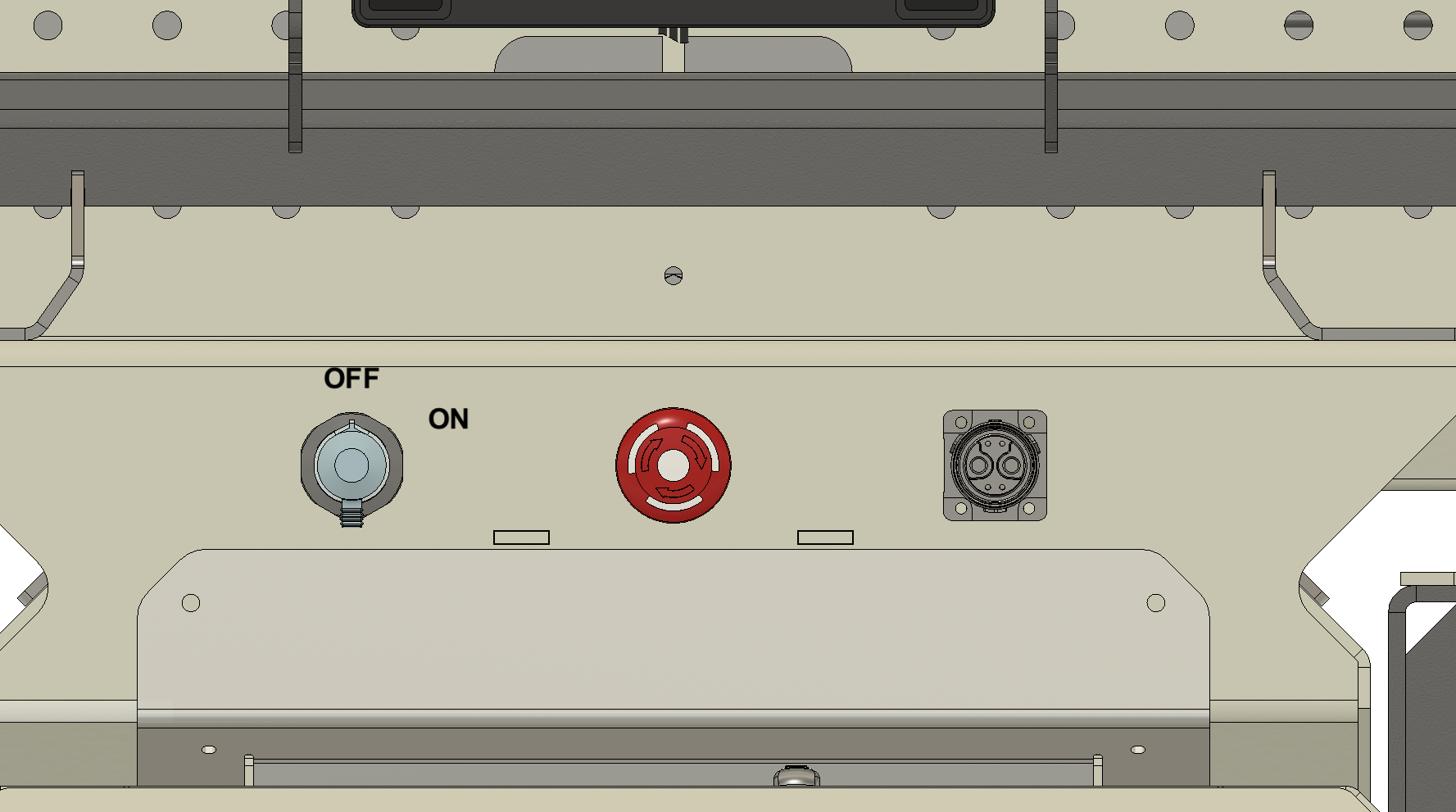
To recharge the batteries, there is a port on the front of the robot, next to the E-STOP and power switch:
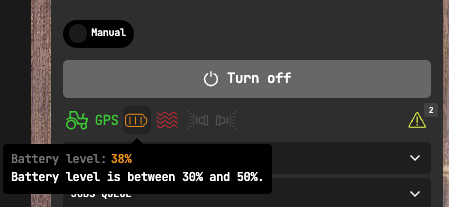
The state of charge can be accompanied from the the vehicle details page on Bonsai Pilot. Each battery will take roughly 3 hours to charge if its completely empty.
Range Extender
The range extender is a diesel generator that is integrated with the Amiga Max system. Operation should be autonomous, but the user have a few options:
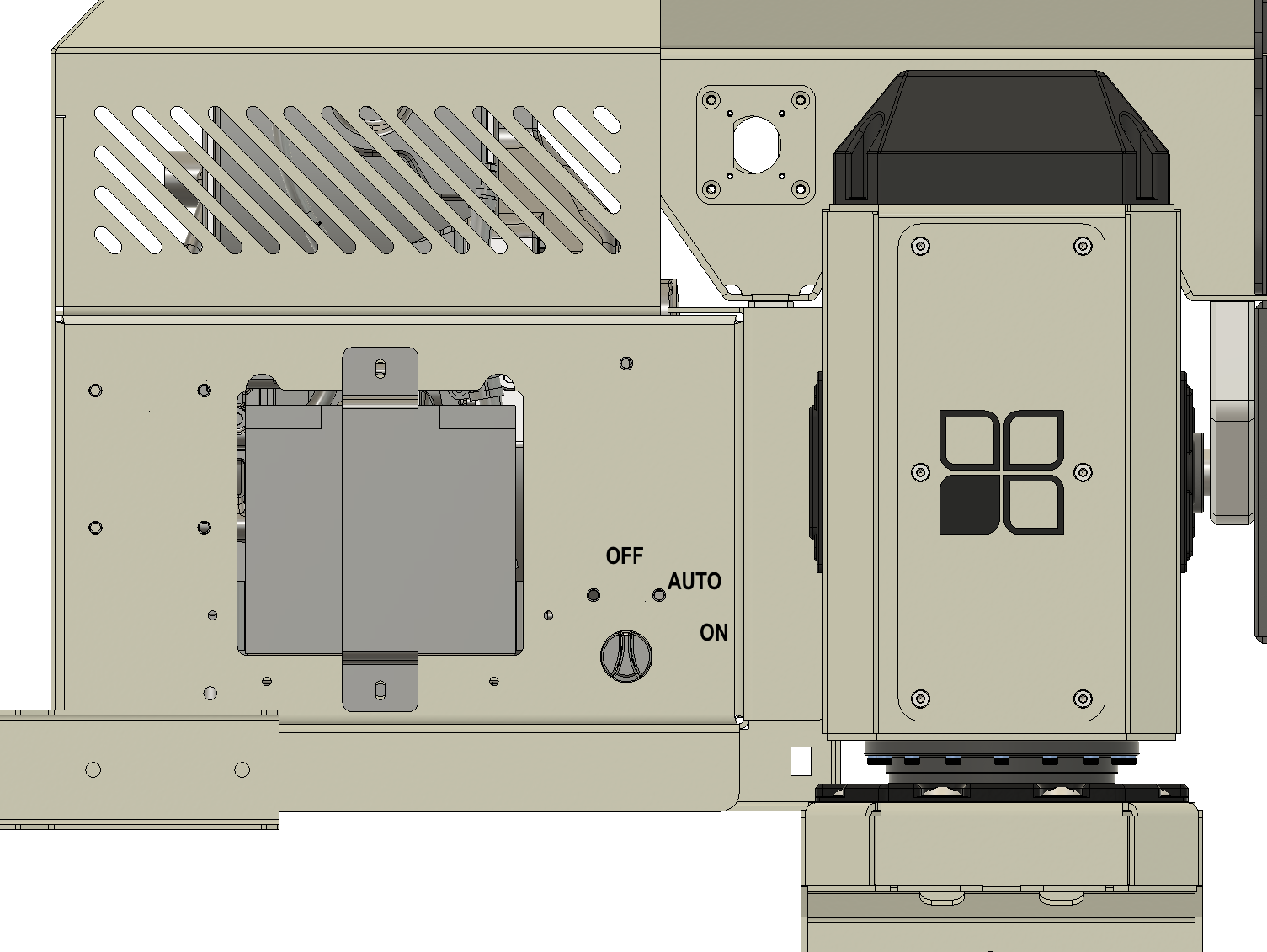
OFF: keeps the range extender off and it will not operate. This is useful when its operation is not required or the tank is empty.
AUTO: the range extender will start automatically when the battery (s) reach 60% and charge it up to 80%, when it will stop. This is the mode it should be kept most of the time when in operation.
ON: the range extender will run continuously, charging the battery to 100% and dissipating energy via the heat exchanger when power is not required. This mode should be used for testing only.
The tank is situated under the front frame rail and holds 5 gallons of Diesel. The level is also available at Bonsai Pilot app under the "consumables" tab.
Manually Driving
To start, make sure the E-STOP is disengaged (twist and pull) and move the metal switch to the ON position. You will hear the motor brakes disengage.
Using the remote controller, release the E-STOP button (twist and pull). The beacon will turn to green and the Amiga will be ready to drive. Use the right joystick to drive forward and backwards (speed) and the left joystick to command the steering motors.
Each of the wheels will turn accordingly, with the rear wheels (if steering is present) turning in opposite direction to reduce curve radius. If you notice non-expected turning behavior, contact Bonsai Robotics.
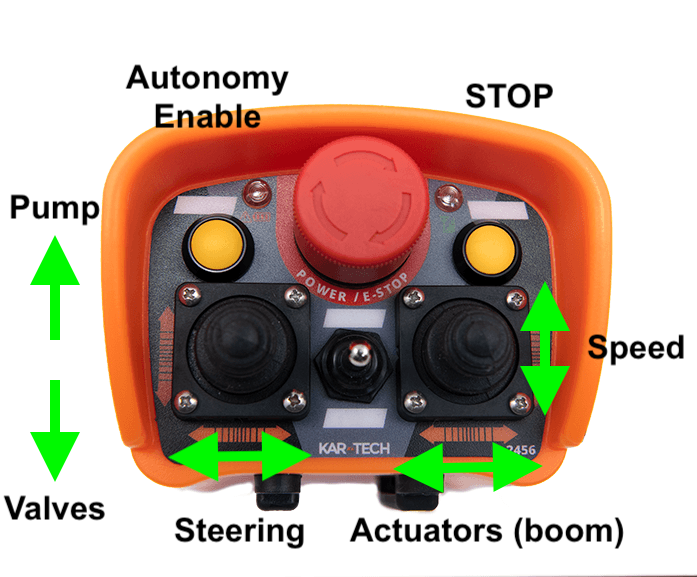
Each joystick have secondary functions on the unused axis. They may change depending on your implement and configuration, but refer to the picture above for reference.
When operating, push the E-STOP button either on the remote controller or the robot itself to immediately stop and engage brakes.
Beacon light
The beacon LED indicate the different states the Amigas operate. The table below shows the different options:
Beacon lights | Description / Action |
 | Amiga Robot OFF. |
 | E-STOP engaged. Clear E-STOP from the command center and/or remote controller. |
 | ERROR mode. Turn the robot OFF and ON again. If the error persists, contact Bonsai Support. |
 | MANUAL mode. You can drive the robot using either the Pendant or the Remote controller. |
 | TELEOP mode. A user is driving the robot via Bonsai Pilot. |
 | AUTONOMY mode. The robot is performing a job sent from Bonsai Pilot. |
We recommend you operating the machine manually for 30 minutes to get familiar with the Amiga Max maneuvering and traction capabilities. After that, proceed to our articles for📄 Creating a Job, 📄 Creating a Commute Route, or 📄 Running Commute or A to B Routes.