Dashboard
Last updated: November 6, 2026
The dashboard is the local interface between the operator and the Amigas. It have three main functionalities, and more are coming in the upcoming weeks.
Home
It contain main information for driving your Amiga. Here are the main features:
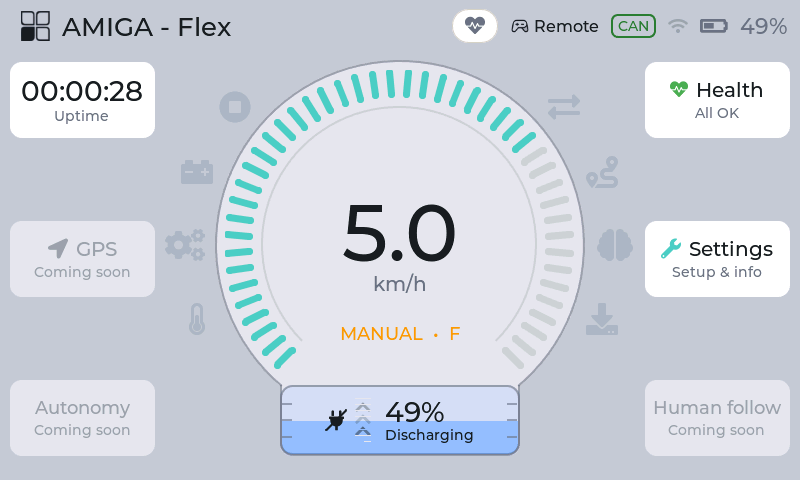
Element | What it shows | Tapping it opens |
|---|---|---|
Status bar, top right | Icons for active warnings, the control input (Wired, Remote, Autonomy or No input), CAN bus state, connection, clock and battery level | System Health |
Speed, centre | Speed and its unit, then the mode line: the control state (MANUAL, READY, ENGAGED, NOT READY, or E-STOP with its cause) and the direction (F forward, R reverse) | The unit picker: km/h, mph, m/s or ft/min |
Battery, bottom | Charge level and whether the battery is charging or discharging | Battery details |
Warning icons, around the gauge | One icon per system, coloured by its state | Nothing |
Uptime, top left | Time since the dash was powered on | Nothing |
Health, top right | Overall status: All OK, Warning or Fault | System Health |
Settings, right | Settings | |
GPS, Autonomy, Human follow | Not available yet | Nothing |
System Health
Contain diagnostic information about the robot and its systems. Access it via the upper right button.
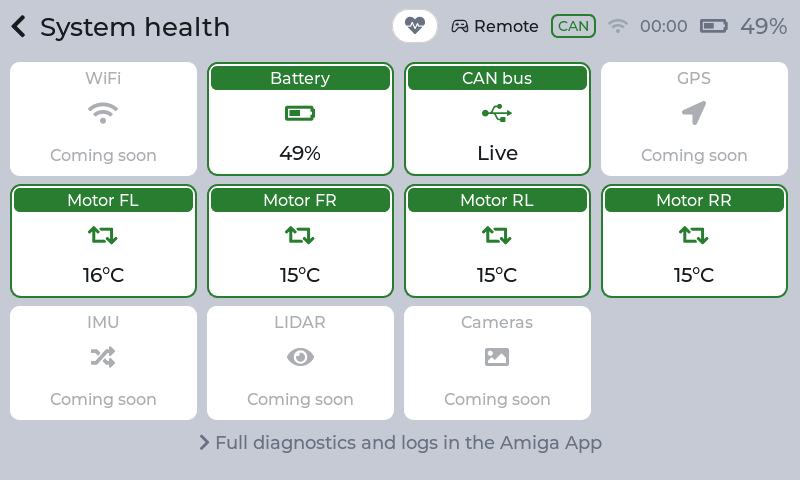
Each tile shows one part of the machine, coloured by its state: green OK, amber warning, red fault, grey offline or not available yet. Tapping a tile opens its details screen, with the readings across the top and the current status, or the reason there is none, underneath.
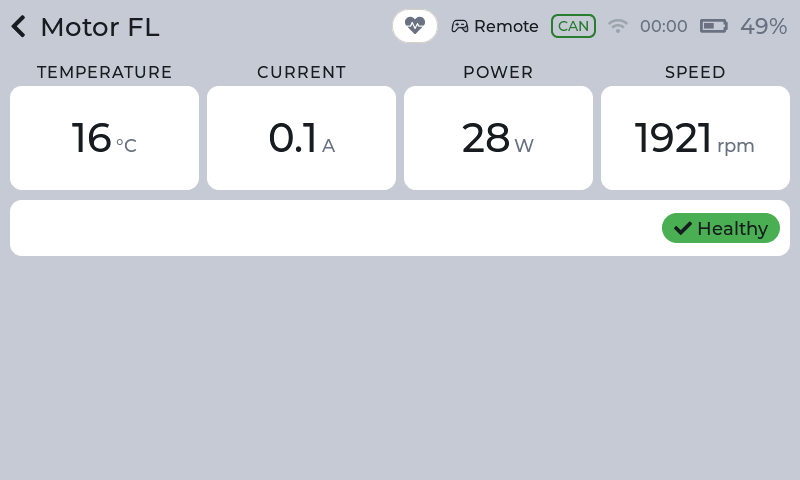
Motor details
Each of the 4 motors (Front-left, Rear-left, etc.). Temperature, current, power and speed of that corner's drive motor, and its steering motor where fitted, with the motor's status.
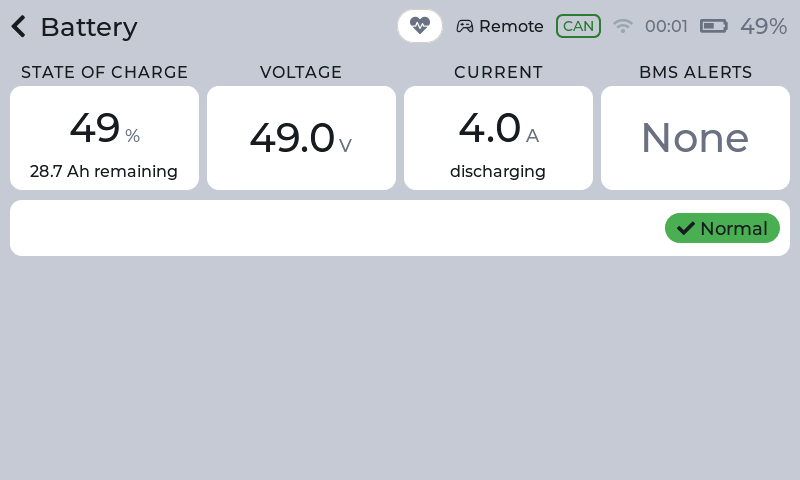
Battery
State of charge, voltage, current and alerts from the BMS (battery management system).
CAN bus
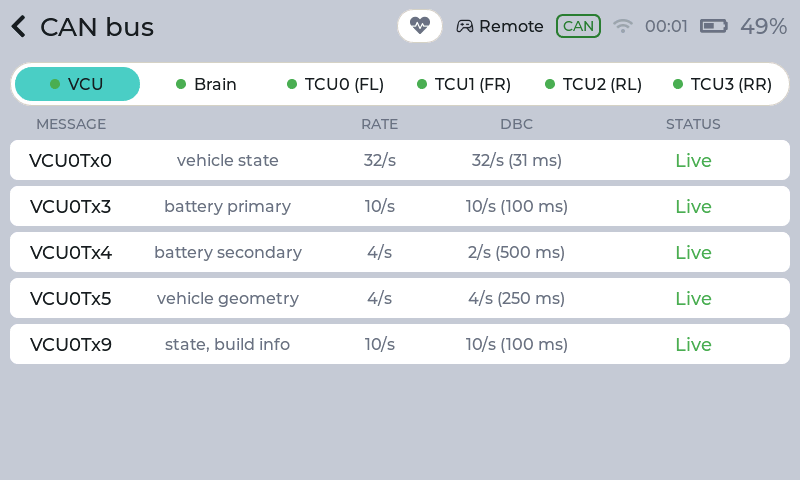
The CAN bus is the system that allows the different wheels and other devices. There is one tab per device: the VCU (vehicle control unit), the Brain (autonomy computer) and TCU0–3 (one traction control unit per corner). Each row is a message, with its arrival rate against the expected rate and whether it's live
Settings
Variables that affect the behavior of the robot.
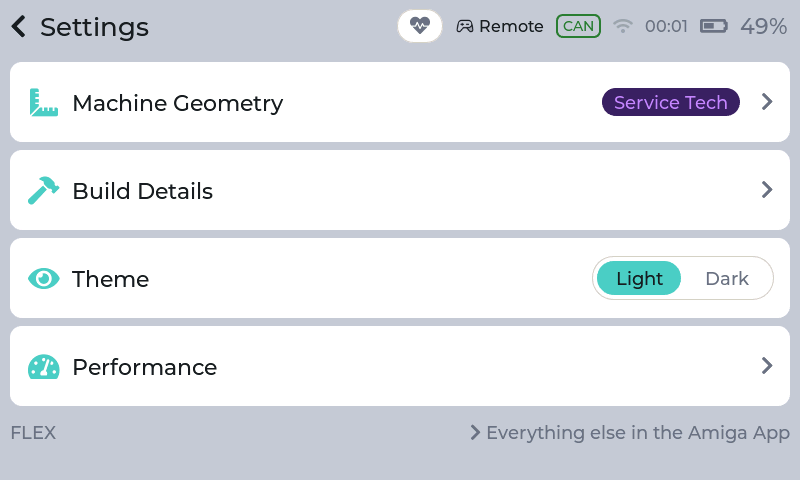
Row | Purpose |
|---|---|
Machine Geometry | Machine configuration for service technicians. Under development. |
Theme | Switches between Light and Dark |
Performance | Shows or hides a development overlay with the frame rate and timings |
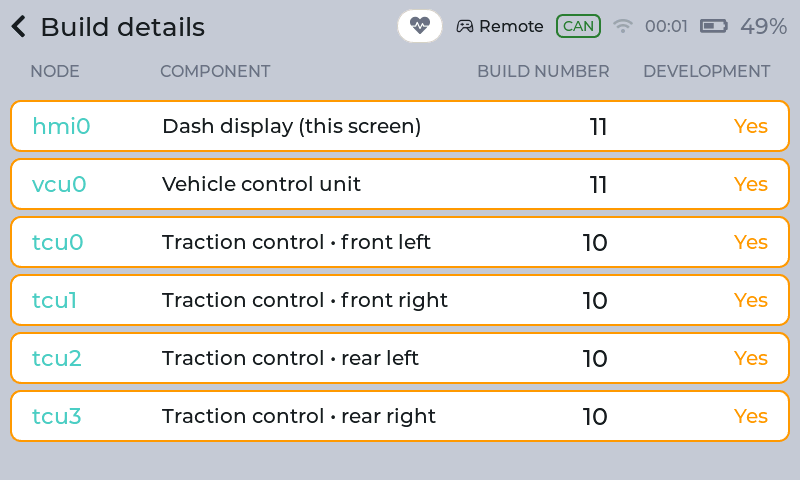
Build Details | The firmware build of each device (dash, VCU, TCU0–3), with development builds marked |
For reference, the Build Details page might be useful when talking to Bonsai Robotics support engineers.
Finally, greyed out buttons like GPS, Autonomy, human following, etc. are not implemented yet.